



What this tool does
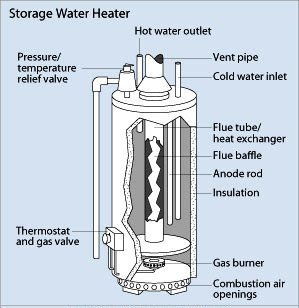
This tool allows you to calculate the annual cost of heating domestic hot water. In addition, you may compare the annual costs of up to three systems to a base system. Four water heating fuel types are available; electricity, natural gas, LPG, and #2 oil. You can use this tool for any system for which you have an energy factor (EF), including electric resistance and heat pump systems, and various types of oil- and gas-fired systems. Note that if a heat pump water heater is installed in a condition or semi-conditioned space, some or all of the heat transferred to the water during the heating season will need to be replaced by the heating system. This “heating penalty” and the corresponding “cooling benefit” during the cooling season, are not accounted for by this tool.
An interactive chart displays the comparison of water heating systems, reporting the annual energy usage and annual fuel cost for each. The chart can be printed or saved in various formats, making it easy to include it in your reports or presentations.
Calculated values
- Annual hot water usage.
- Annual fuel used.
- Annual fuel cost.
- Annual energy savings compared to the base system.
- Annual cost savings compared to the base system.
- Annual fuel usage.
Tips
- Clicking the label for any input or result will cause a popup help box to appear. This help box includes the allowed and normal values (for inputs).
- The daily how water usage for a household in North America is from 45 to 70 gallons (170 to 265 liters), the average is 60 gallons (228 liters). Per person hot water usage, is from 8 to 24 gallons (30 to 90 liters), the average is 16 gallons (60 liters).
- The units selected for the prices in the Fuel Prices table are used to calculate the results in the Systems Comparison table. For example, if under Nat Gas in the Fuel Prices table, “$/therm” is selected and $1.20 is the price input, any natural gas system included in the Systems Comparison table will reflect the unit price of $1.20/therm.
- The units selected under “Savings” in the second to last column of the Systems Comparison table also set the units used/displayed for the “Annual energy usage” (left vertical axis) in the chart below this table.
- In the System Comparisons table, enter the data for the base water heating system you wish to use. You may then enter data for up to three alternate water heating systems that will be compared with the fuel used and the fuel cost of the base system. In the table, each of the alternate systems will show annual savings in energy units and cost compared with the base system.
- Check “Show chart” to display the interactive chart. The chart values change as tool inputs above it are changed. Please refer to the Interactive Chart Use section below for more information.
- This tool can be used to determine the savings from lowering the water heater temperature setting. For example, first enter the “Temperature rise” of the higher temperature setting, say 90°F (140 hot – 50 cold). With the use of the “Systems Comparison” table, find the “Fuel used” and the “Fuel $”. Now lower the “Temperature rise” to 70°F (120 hot – 50 cold) and use the “Systems Comparison” table to find the “Fuel used” and “Fuel $” for the lower water temperature. Subtract these lower use values from the higher use values to find the fuel and dollar savings for lowering the temperature.
Interactive Chart Use
This tool includes a powerful interactive chart that can be used to display results; it may also be used for educational, sales, and marketing purposes. For example, you can save a chart in one of four different file formats, embed it into a customer report, or print it separately.
Tips for using the interactive chart:
- Click/touch the labels “Energy usage” or “Fuel cost” in the legend below the chart to turn the corresponding chart bars on or off.
- Hover/touch any of the bars in the chart to make a box appear that displays the numerical value of the bar.
- Click/touch the menu icon in the upper right corner of the chart to show the choices for printing the chart or downloading it as an image file in PNG, JPEG, PDF, or SVG format. You are free to use the downloaded image in any way, including reports, presentations, websites, as long as the attribution for “Residential Energy Dynamics, LLC” is included.
- If you save the chart as an SVG file, you can change the title or any other chart element with the use of third-party software. Examples of third-party software include Inkscape (a free version is available) and Adobe Illustrator.